
Free Windows Desktop App
Get the Full Power
of IndexesIQ on Your Desktop
A better lens on global financial markets — faster, sharper and more powerful than the browser version. The desktop app gives you the full IndexesIQ experience with no browser limitations.
Disentangle risk, performance and cycles across 100 years of market history
Sharper graphics and faster response than the browser version
Always the latest data — the app connects to our servers on every launch
10,000+ global corporates covered across 80+ indexes
80+
Global markets
100+
Years of history
10,000+
Global corporates
30+
Countries
Built for anyone who wants a sharper, deeper lens on global financial markets.
Finance Academics
Investment Analysts
Financial Journalists
Strategy Consultants
Portfolio Managers
Informed Investors
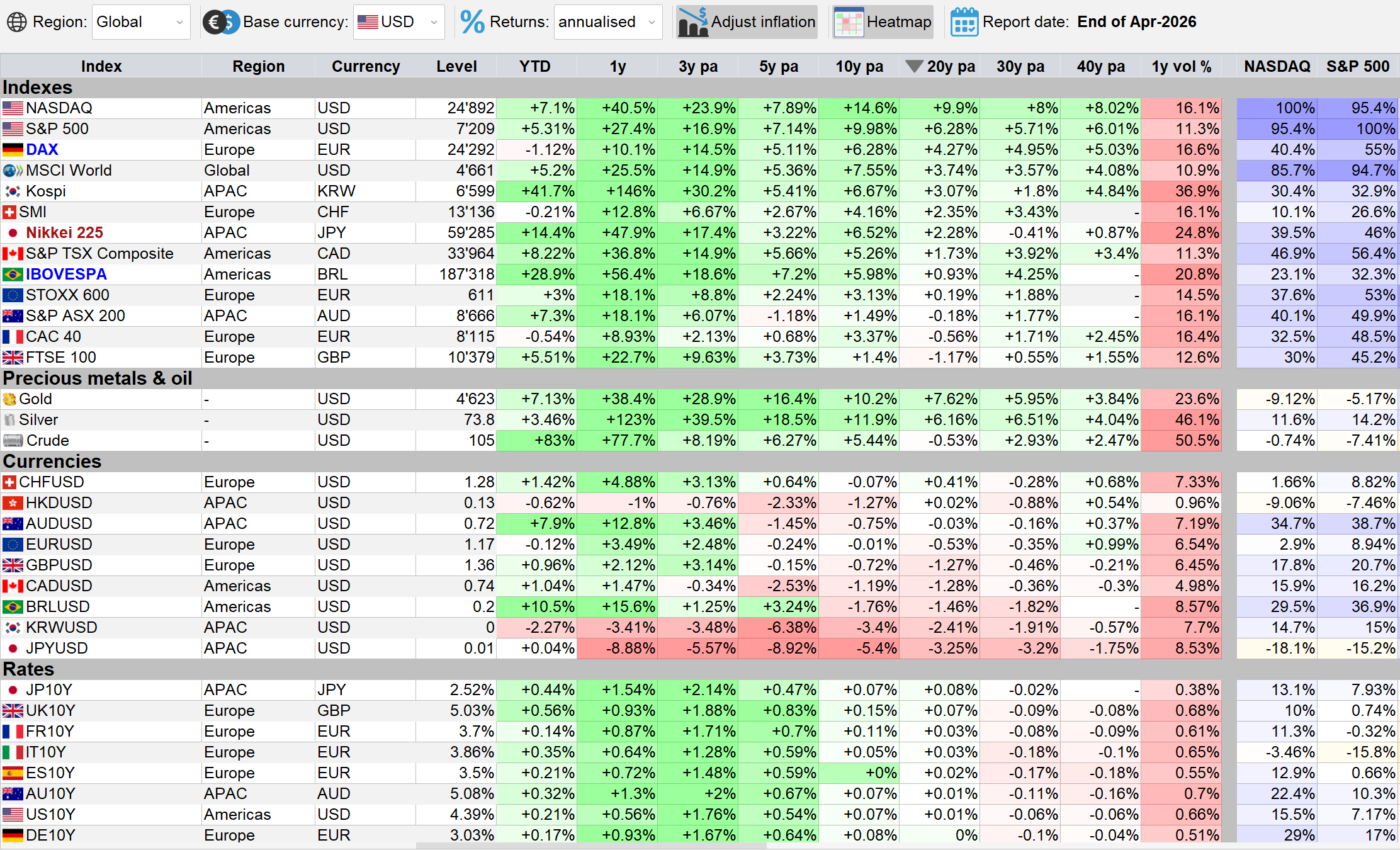
Map the global financial ecosystem at a glance
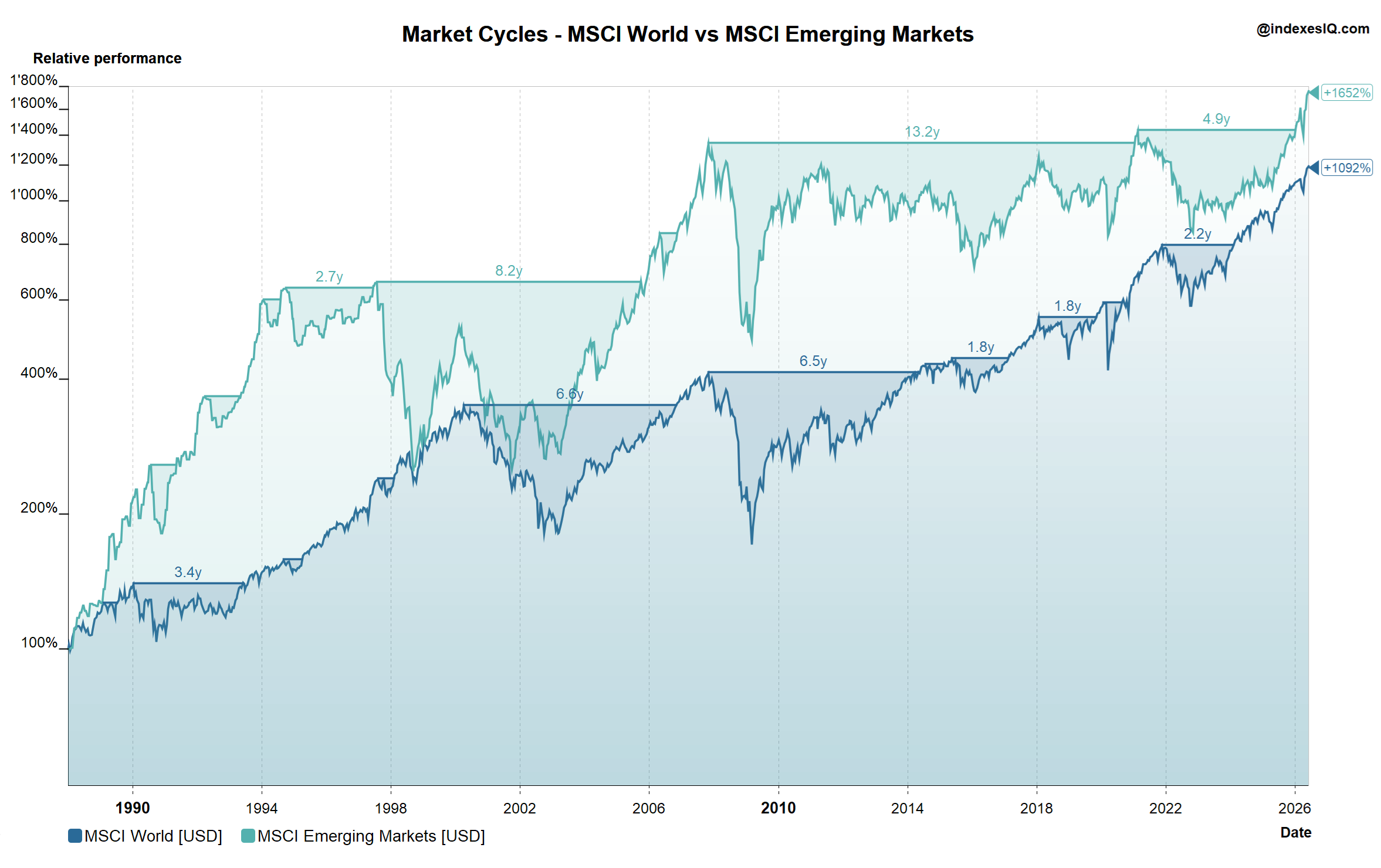
Compare market cycles across developed and emerging markets
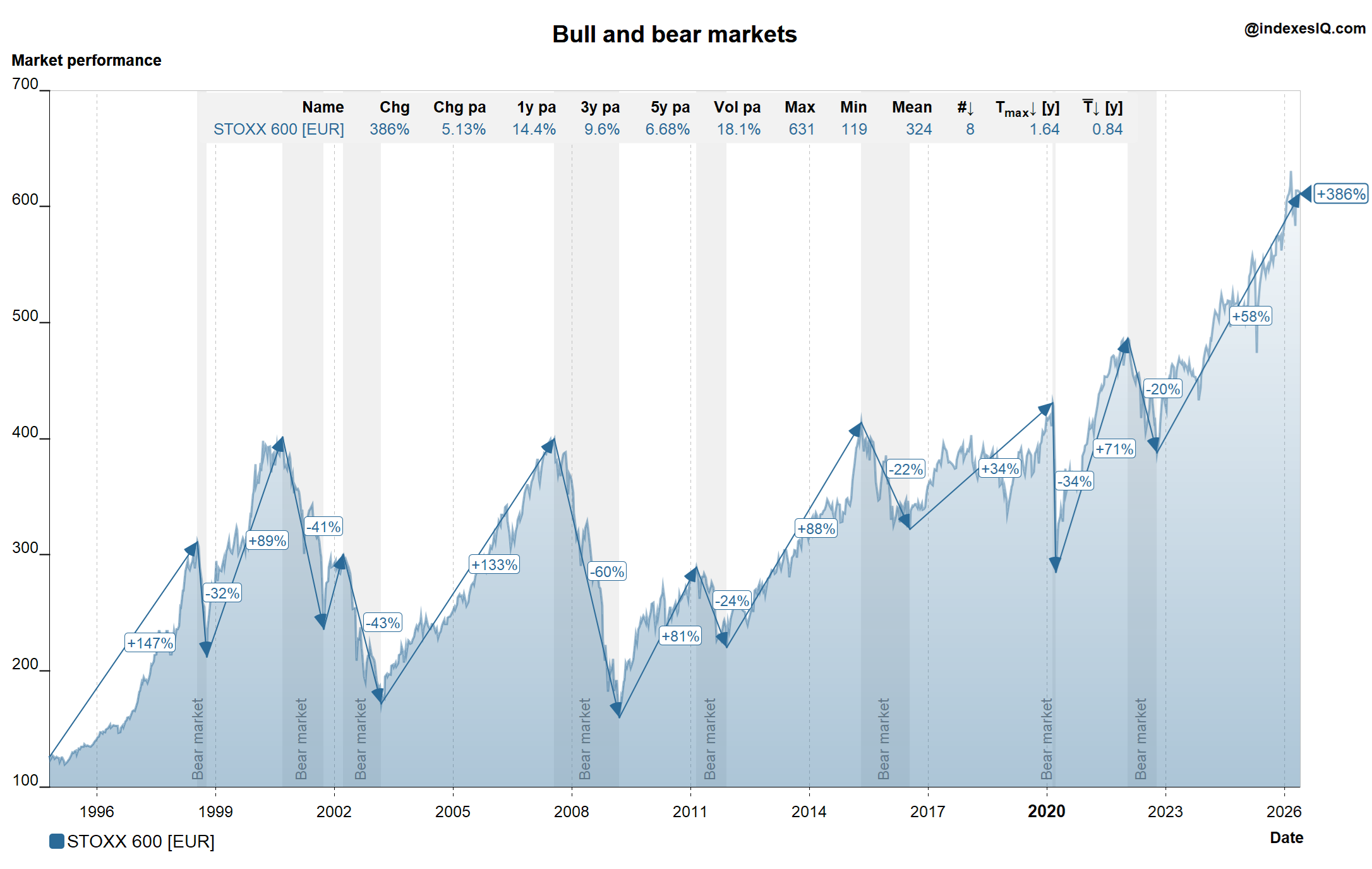
Identify long-term bull and bear market cycles
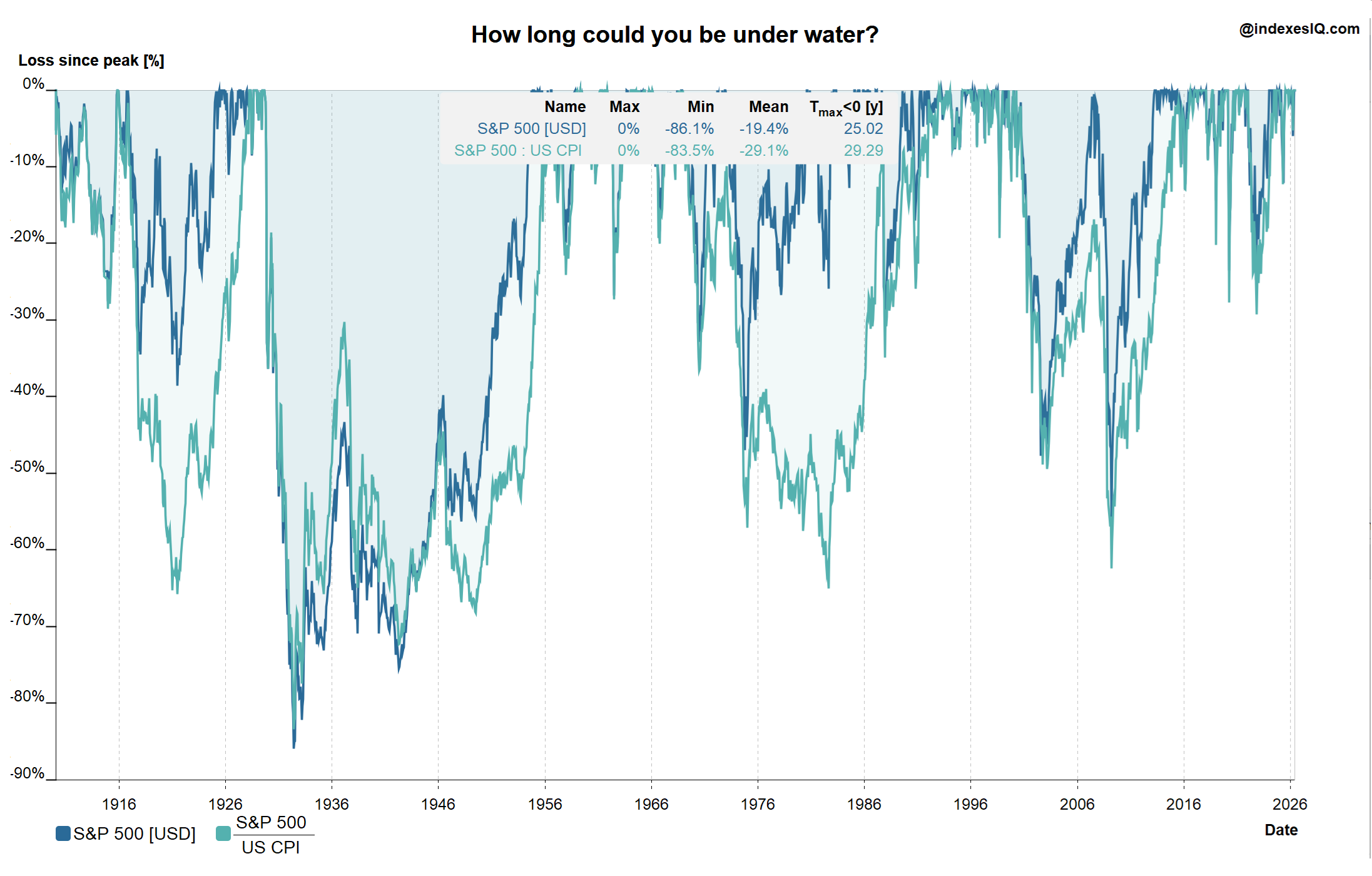
How long could you be under water?
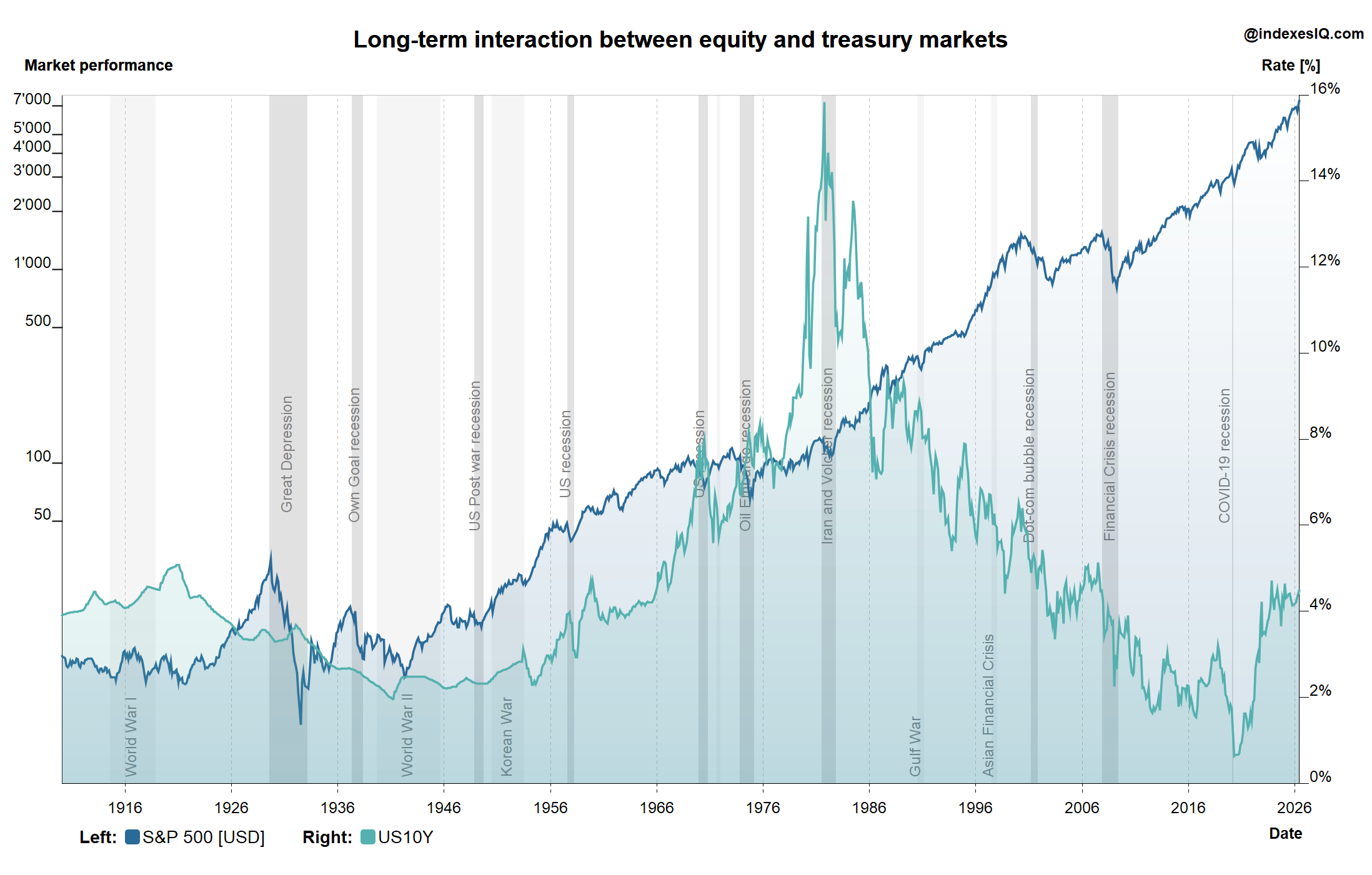
Analyse the long-term interaction of equity and treasury markets
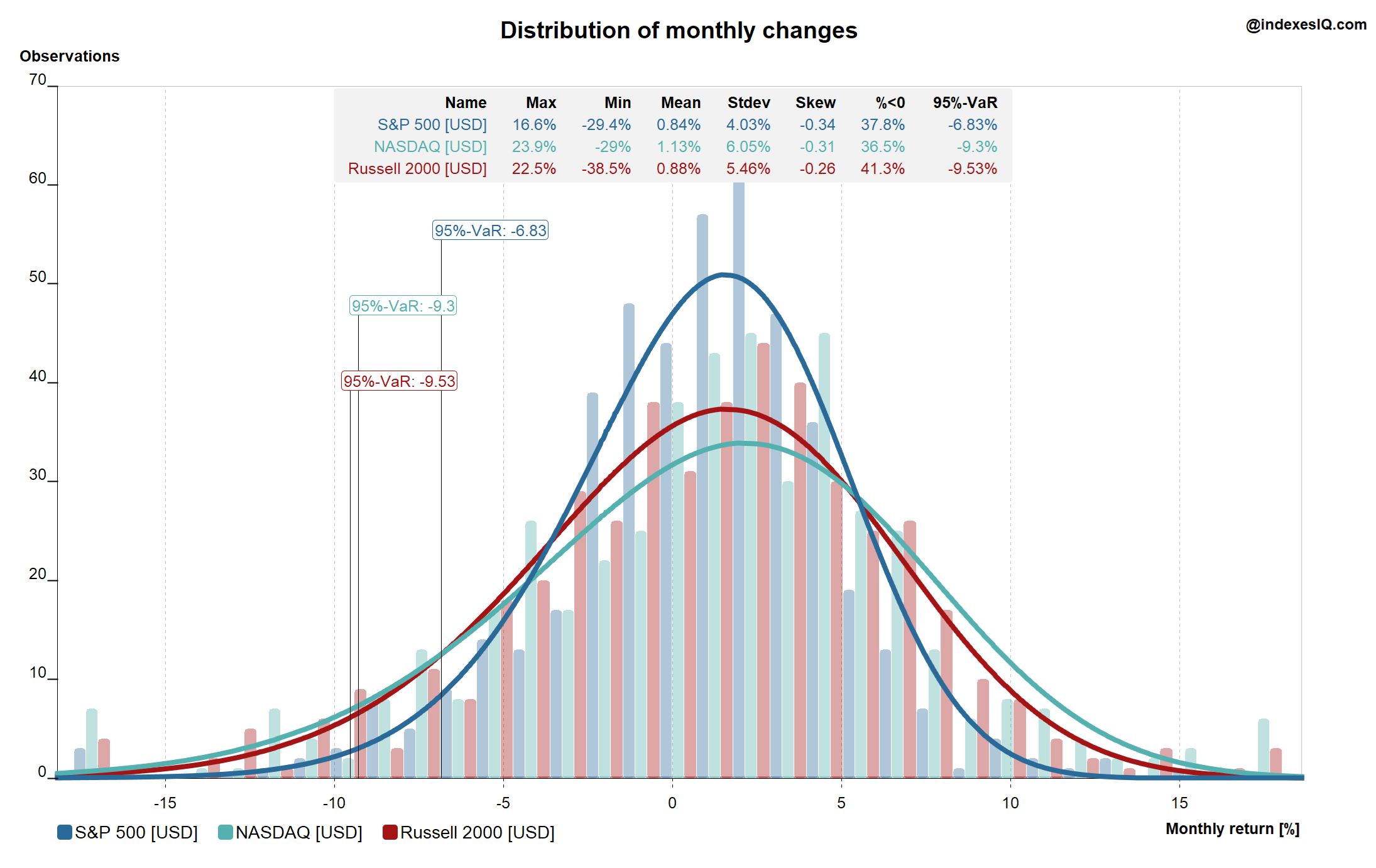
Calculate return distributions & Value-at-Risk
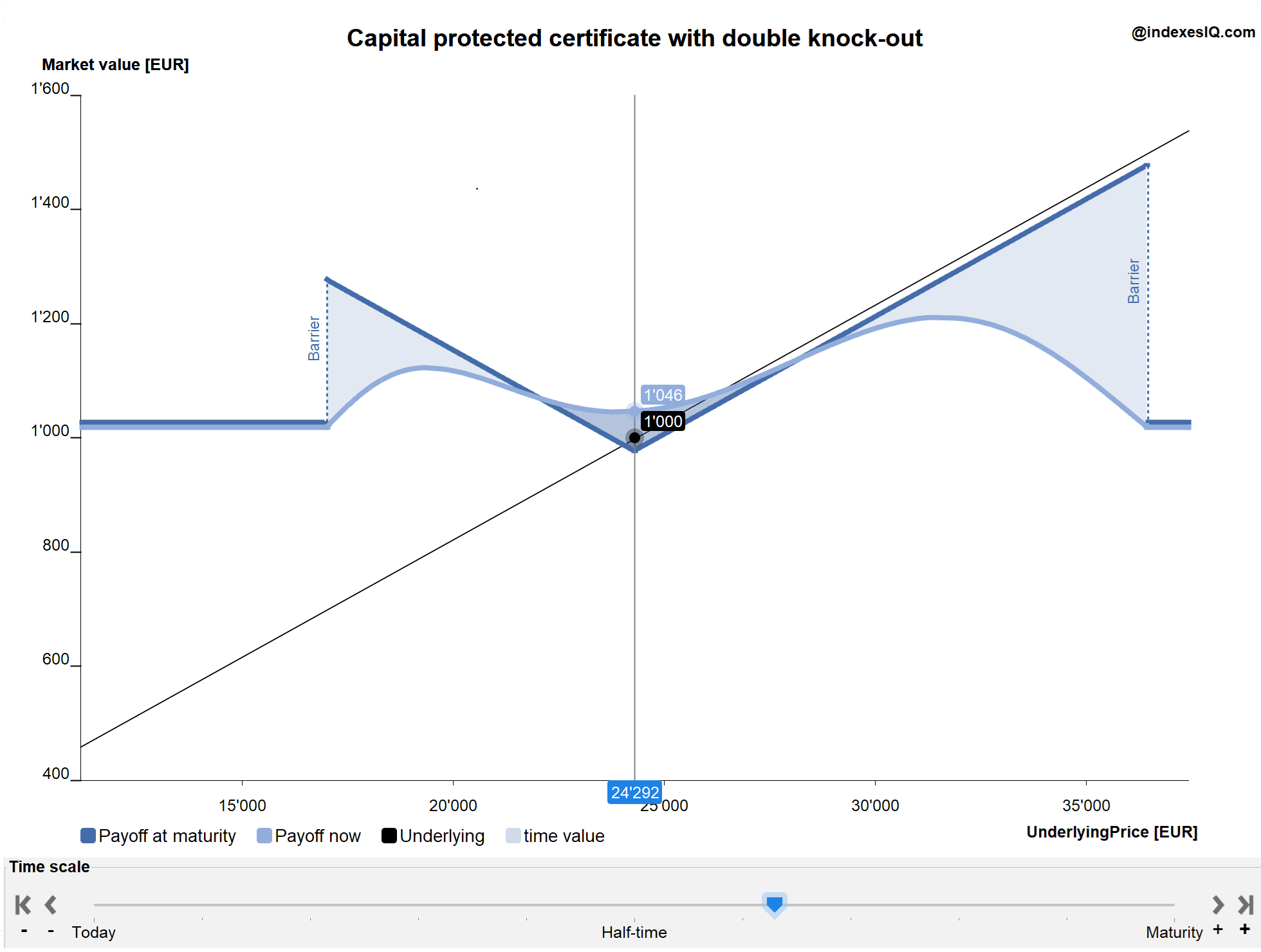
Analyse derivative strategy pay-offs
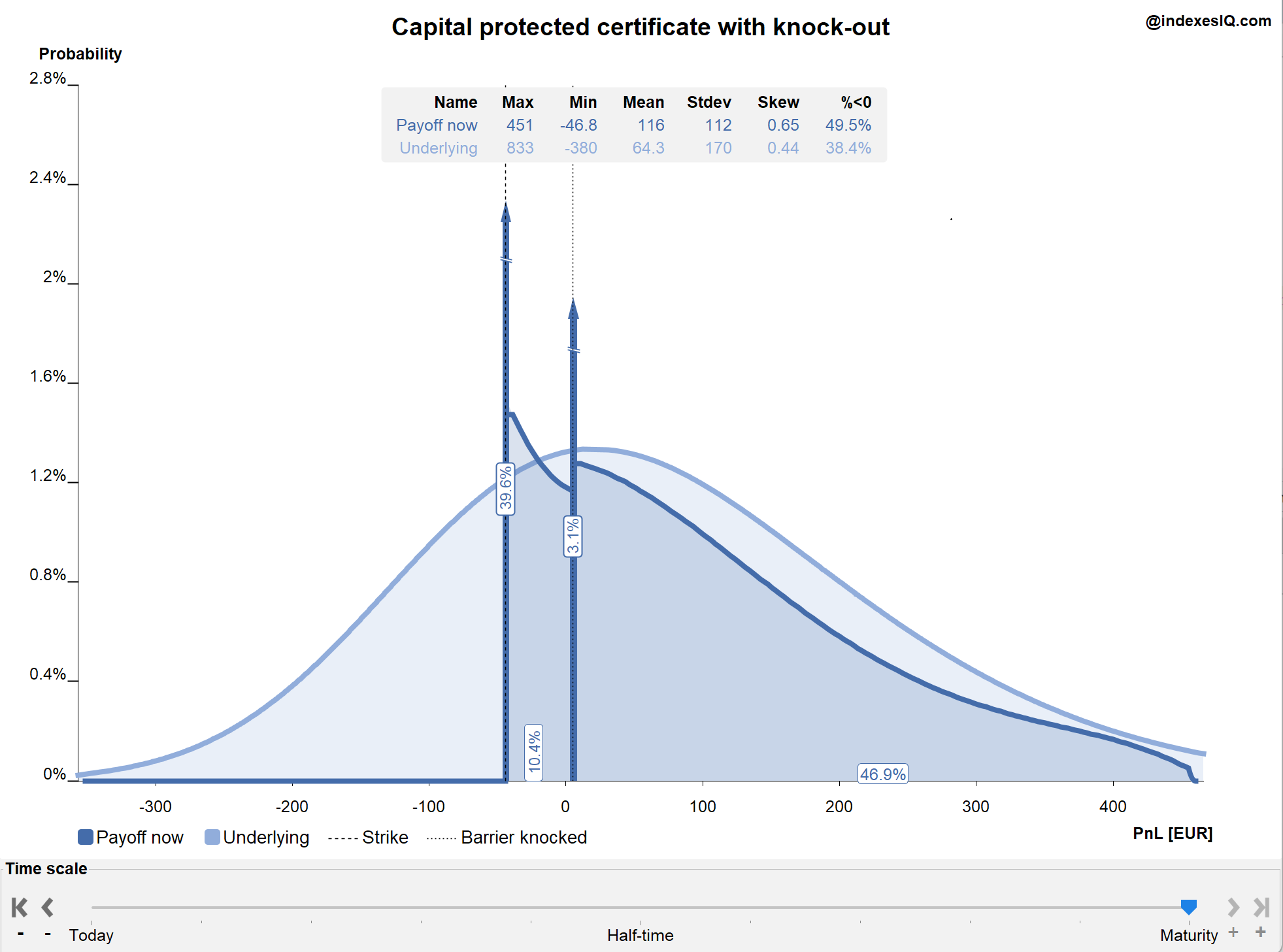
Simulate return distributions of complex derivative strategies
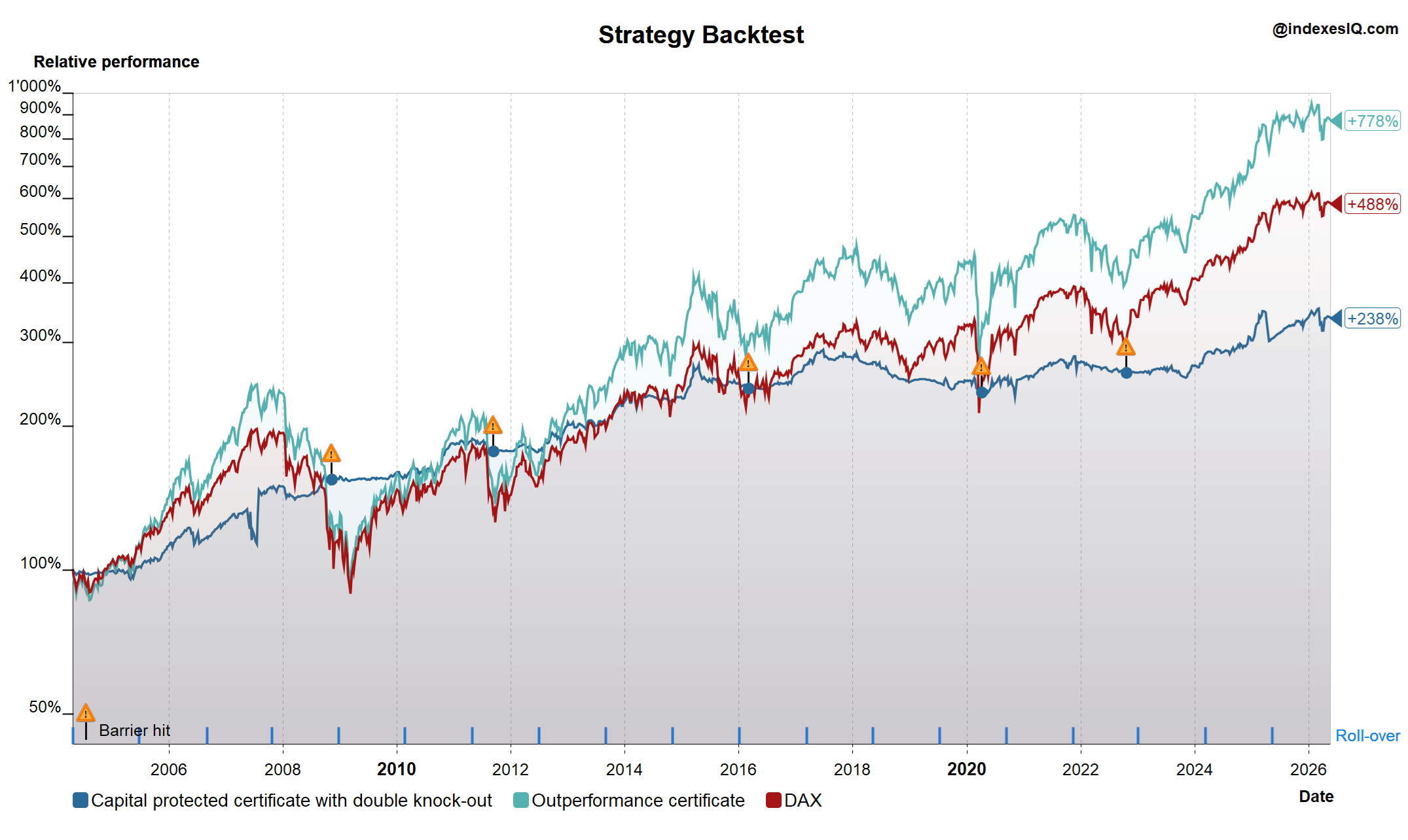
Backtest derivative strategies over time
Please read before downloading
IndexesIQ is a free tool provided without any commercial guarantee or liability. It is not available through the official Microsoft Store and is distributed independently. The app is safe to use but may trigger a Windows security warning on some computers — see the installation steps below for how to handle this.
How to Install — Step by Step
1
Click “Download for Windows” above — the installer file
IndexesIQ-Windows-Installer.msi will download to your Downloads folder.2
Double-click the installer to run it. Because IndexesIQ is not distributed through the Microsoft Store, Windows may show a security warning. This is normal for independent software.
3
If you see “Windows protected your PC” (SmartScreen warning): click “More info” then click “Run anyway”. The installation will then proceed normally.
4
If Windows Smart App Control completely blocks the app (Windows 11 only): go to Settings → Privacy & Security → Windows Security → App & Browser Control, click “Smart App Control settings” and set it to “Off”. Then run the installer again. You can turn it back on after installation.
5
Follow the installation wizard — click Next / Install / Finish. IndexesIQ will appear in your Start Menu.
6
Launch IndexesIQ from the Start Menu. The app connects to our servers on startup to load the latest data — please ensure you have an internet connection.
7
To uninstall, go to Settings → Apps → Installed Apps, search for IndexesIQ and click Uninstall.
Having trouble? Visit www.indexesiq.com or use the browser version — it works on all devices with no installation required.
New to the app? The User Manual covers all features in detail, and the Tutorials page has video walkthroughs for each pane. For a quick overview, take the Quick Tour in the browser version first.